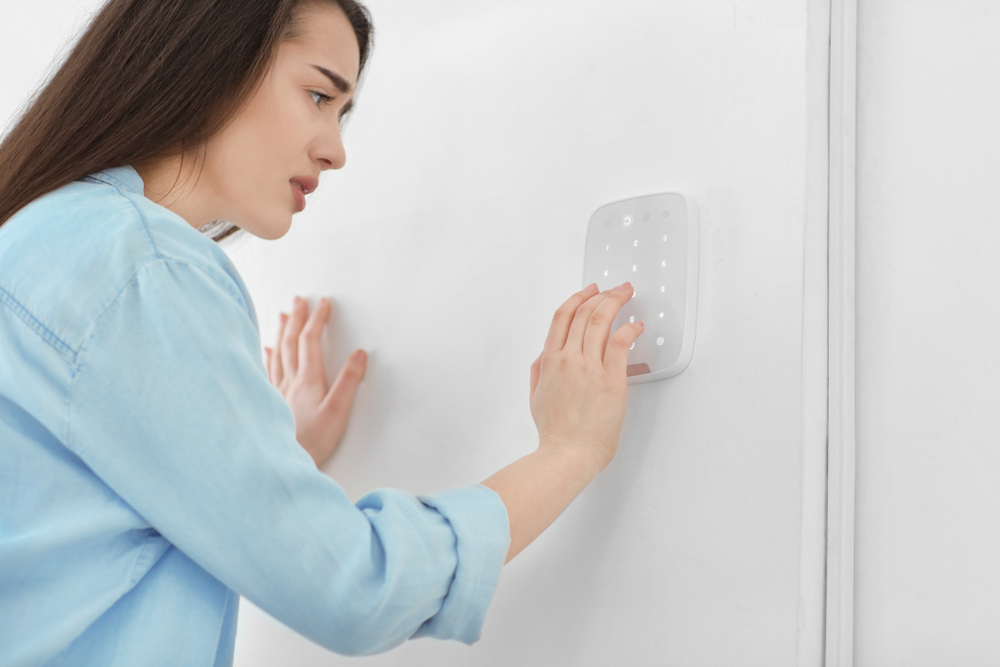
It's 3am. The siren is screaming. You're stumbling through the house in your underwear punching codes into the keypad. Nobody broke in. Nothing happened. The alarm just decided to go off by itself. Again.
If your alarm keeps going off for no reason, you're not alone. False alarms are the #1 complaint homeowners have about their security systems. And the worst part? Most people just stop arming the system after it happens a few times. Now you're paying for monitoring you don't even use.
Good news. Almost every false alarm traces back to the same handful of causes, and almost all of them are fixable without replacing the whole system. Here are the 7 most common reasons your alarm keeps going off and how to stop it.
Quick Answer
The most common causes of false alarms are:
- Low batteries in sensors or the panel backup
- Motion sensors triggered by pets, vents, or sunlight
- Door/window sensors that shifted or came loose
- Old or failing sensors that fire randomly
- Bugs, spiders, or dust inside sensor housings
- Wireless interference from new devices
- Loose wiring on older hardwired systems
Most of these are 10-minute fixes. Some need a technician. All of them are cheaper than ignoring the problem.
In This Guide
- Low battery: the #1 cause of false alarms
- Motion sensor false alarms: pets, sunlight, and heat vents
- Door or window sensor keeps triggering
- Old or failing sensors (8-10 year lifespan)
- Bugs, spiders, and dust inside the sensor
- Wireless interference from new devices
- Loose wiring on older hardwired alarm systems
- How to figure out which sensor is the problem
- False alarm fees and why this matters
- When to call a technician
- Frequently Asked Questions
1. Low Battery: The #1 Cause of False Alarms
The #1 cause of false alarms. By a mile.
Every wireless sensor in your system runs on a battery. Door contacts, motion detectors, window sensors, glass break detectors, smoke detectors, key fobs. All of them. When a battery starts dying, the sensor doesn't just quietly stop working. It gets weird. It sends garbled signals. It triggers when nothing's happening. Or it stops checking in with the panel, which the panel reads as a tamper or supervisory alarm.
Here's the one people forget: your panel has a backup battery too. It's a sealed block inside the panel box. When that thing dies, the panel itself gets unstable. A tiny power flicker that used to be invisible now causes a full alarm event.
How to fix it: Check your keypad or app. It'll tell you which sensor has a low battery. Swap it out. Most wireless sensors use CR123A or CR2032 lithium batteries. You can get them at any hardware store. The panel backup battery should be swapped every 3-5 years. If you can't remember when it was last changed, it's time.

2. Motion Sensor False Alarms: Pets, Sunlight, and Heat Vents
Pets, heat vents, sunlight, ceiling fans, balloons.
Motion sensors work by detecting changes in heat. That's how they "see" a person walking through a room. Problem is, they also see your dog walking around at 2am. Or hot air blowing from a vent right below the sensor. Or sunlight creeping across the floor as the sun moves. Or a ceiling fan spinning. Or a helium balloon floating around the living room (yes, we've actually seen this one).
How to fix it: Got pets? You need pet-immune motion sensors. They're designed to ignore animals up to 80 lbs. Already have pet-immune sensors and they're still firing? They might be mounted too low or aimed at a heat source. A technician can adjust the angle or move it. If the false alarms happen at the same time every day (late afternoon is the classic), it's sunlight. Reposition the sensor so it's not facing a window.

Pro tip: If your motion sensor false alarms happen mostly at night, it's probably your pet. If they happen in the afternoon, it's probably sunlight. If they happen randomly, check the battery first, then look for a vent blowing directly at the sensor.
3. Door or Window Sensor Keeps Triggering
The magnet moved. That's it. That's the whole problem.
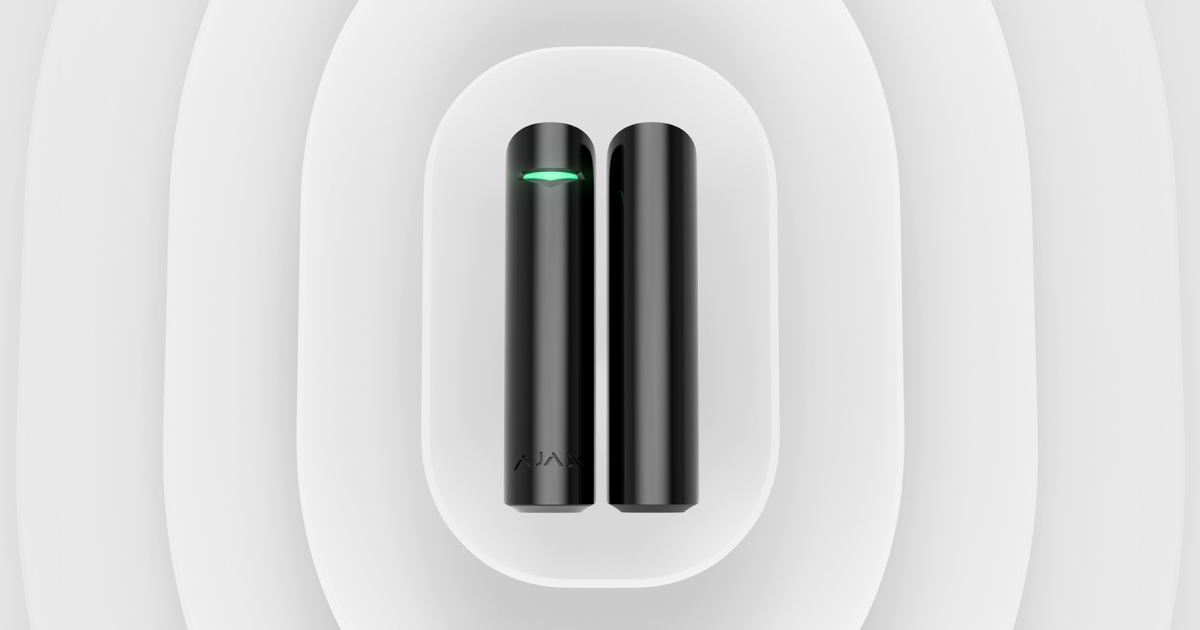
Door and window sensors work with two pieces: a sensor on the frame and a magnet on the door or window itself. When the magnet pulls away from the sensor, the system reads it as "open." If the magnet is loose, vibration from wind, trucks driving by, or someone slamming a door elsewhere in the house can make it bounce just enough to break contact for a split second. That's all it takes to trigger an alarm.
This is especially common on older wooden doors and windows that swell and shrink with the seasons. A sensor that was perfectly aligned in summer might have a gap in winter.
The fix: Look at the sensor and magnet. Is there a visible gap? Is the magnet loose or crooked? You can usually fix this with double-sided tape or a single screw. The magnet and sensor should be within about 1/4 inch of each other when the door or window is closed. If you can fit a pencil in the gap, that's too much.
4. Old or Failing Sensors (8-10 Year Lifespan)
Sensors don't last forever. 8-10 years is typical.
Sensors don't last forever. A motion sensor that's been hanging in the corner of your living room for 12 years has been through thousands of temperature swings. The circuitry gets flaky. The lens yellows. The sensor starts triggering on its own with no pattern you can figure out.
If you're getting false alarms from the same zone over and over, and you've already replaced the battery and checked the mounting, the sensor itself is probably just done.
How to fix it: Replace the sensor. A new wireless motion sensor or door contact runs $30-80 for the part. A technician can swap it in 15 minutes and program it into your existing panel. You don't need a new system just because one sensor is past its prime.
5. Bugs, Spiders, and Dust Inside the Sensor
A spider built a web inside your motion sensor. Seriously.
This sounds made up but it's one of the most common calls we get. Spiders love the warm little cave inside a motion sensor housing. When they crawl across the lens, the sensor sees a rapid heat change and fires. Same thing with small insects, dust bunnies, and cobwebs that shift when your furnace kicks on.
If your false alarms started out of nowhere and nothing else changed, pop the sensor cover off (there's usually a tab on the bottom) and look inside. Webs, dead bugs, or a layer of dust on the lens.
How to fix it: Wipe the lens with a dry microfiber cloth. Clear out any webs or dead bugs. If spiders keep coming back, a tiny dab of peppermint oil near (not on) the sensor housing deters them. Some newer sensors have sealed housings that keep bugs out entirely.
6. Wireless Interference From New Devices
Your new WiFi router is confusing your alarm sensors.
Your alarm sensors talk to the panel on a radio frequency. Most of the time nothing interferes with it. But if you've recently added a mesh WiFi router, baby monitor, smart home hub, wireless speaker, or basically any new wireless gadget, it can sometimes garble the sensor signals. When the panel gets a signal it can't read, it sometimes treats it as an alarm.
This is way more common on older systems. Newer systems (like DSC PowerG) hop between frequencies automatically, so interference basically can't touch them.
The fix: Think about what changed recently. Did you set up a new router? New baby monitor? Try moving that device away from the panel or the sensor that keeps firing. If that stops the false alarms, you found it. For a permanent fix, upgrading to a newer panel with frequency-hopping eliminates the problem for good.
7. Loose Wiring on Older Hardwired Alarm Systems
A wire came loose in the panel or at a sensor. Classic older-home problem.
If your house was built before 2015, there's a good chance your alarm runs on hardwired sensors. Thin gauge wire goes from every sensor back to the panel. Over the years, terminal screws loosen up. Mice chew through wire insulation in the attic. A renovation nicks a wire behind the drywall. One loose connection on one zone causes false alarms that seem totally random.
This one's harder to troubleshoot yourself because the wiring runs inside walls, through attics, and behind baseboards. You can check the terminal connections inside the panel box if you're comfortable opening it. But tracking down a wire fault usually takes a technician with a multimeter.
How to fix it: Open the panel and check for loose terminal screws. Tighten anything that feels wobbly. If it keeps happening, a technician can test each zone's wiring to find exactly where the fault is. Once you find it, the actual fix takes minutes.
The pattern: Most false alarms trace back to one of these 7 causes. Low batteries and motion sensors account for the majority. Before you rip the system out or stop arming it altogether, work through this list. The fix is almost always simpler and cheaper than you think.
How to Figure Out Which Sensor Is the Problem
Every time your alarm triggers, your panel logs which zone fired. That zone number maps to a specific sensor at a specific location. Here's how to find it.
- Check the keypad display right after the alarm. Most panels show "ALARM ZONE 3" or "FAULT ZONE 7" or similar. Write down the zone number
- Look up the zone in your installer manual or app. Zone 1 might be your front door. Zone 4 might be the living room motion. If you don't have the zone list, your monitoring company can read it to you over the phone
- Go to that sensor and inspect it. Check the battery, mounting, alignment (for door/window sensors), and cleanliness (for motion sensors)
- Check your event log. If the same zone keeps firing over and over, that's your problem sensor. If different zones fire randomly, it's more likely a panel or wiring issue
Don't have your zone list? Call your monitoring company and ask them to read you the zone descriptions. Or call us at 844-360-1234. If we installed your system, we have it on file. If someone else installed it, we can usually figure it out from the panel model.
False Alarm Fees and Why This Matters
False alarms aren't just annoying. They cost money and erode your protection.
- Police response fees. Hamilton Police Service, Niagara Regional Police, Toronto Police, and most municipal forces charge fees for repeated false alarm dispatches. After a certain number of false dispatches per year (usually 2-3 free, then $75-200+ per incident), you start paying per response. Some municipalities will eventually suspend police response to your address entirely
- Monitoring company response. After too many false alarms, your monitoring company may start calling to verify before dispatching. That extra step adds minutes to a real emergency. Some companies even put chronic false-alarm accounts on a "verify first" list, which defeats the purpose of 24/7 monitoring
- You stop arming the system. This is the real danger. After the 5th false alarm at 3am, most people just stop arming the system. Now you're paying for monitoring on a system you don't even use. That's the worst possible outcome
Fixing the root cause of false alarms is almost always cheaper than one police dispatch fee. And it keeps your system actually protecting you instead of collecting dust.
Sick of False Alarms? Get a Free Diagnostic.
We'll check your sensors, test every zone, identify the problem, and give you a straight answer on what it takes to fix it. No sales pitch. No obligation.
Call 844-360-1234Serving Hamilton, Niagara Falls, Toronto, and the GTA
When to Call a Technician vs. Fix It Yourself
You can probably fix it yourself if:
- The keypad says "low battery" and you know which sensor it is
- A door or window sensor magnet is visibly loose or crooked
- You can see cobwebs or dirt inside a motion sensor
- The false alarms started right after you installed a new wireless device
Call a technician if:
- You can't figure out which zone is causing the problem
- The same zone keeps firing after you've replaced the battery
- You have a hardwired system and suspect a wiring issue
- Multiple zones are triggering randomly (could be a panel issue)
- Your system is more than 10 years old and false alarms are getting more frequent
- You've already been hit with false alarm fees from the police
If the system is genuinely old and falling apart, a full alarm takeover or upgrade might actually be cheaper in the long run than chasing one failing sensor after another. We can tell you which path makes sense for your specific setup. That's what the free assessment is for.
Frequently Asked Questions
Why does my alarm keep beeping?
A beeping alarm (not a full siren) is usually a trouble chirp. That's your panel telling you something needs attention. The most common causes are a low sensor battery, a low panel backup battery, a lost connection to the monitoring centre, or a sensor that's gone offline. Check your keypad. It'll show a trouble code or zone number. If it says "low batt" or shows a battery icon, replace the battery in that sensor. If it says "FC" or "comm fail," your panel can't reach the monitoring centre. Check out our guide to checking if your alarm is actually monitored for what to do next.
Why does my alarm go off in the middle of the night for no reason?
The most common overnight causes are pets triggering motion sensors, temperature changes causing sensor drift, low batteries making sensors erratic, and spiders or insects crawling across motion sensor lenses. Check your keypad for the zone number that triggered, then inspect that specific sensor. If you have pets and standard motion sensors (not pet-immune), that's almost certainly your problem.
How do I stop my motion sensor from false alarming?
First, check for pets, heat vents, sunlight, or ceiling fans in the sensor's field of view. If you have pets, switch to pet-immune sensors (they ignore animals up to 80 lbs). If it's sunlight, reposition the sensor so it doesn't face a window. If none of those apply, clean the sensor lens, replace the battery, and check the mounting. A sensor that's been on the wall for 10+ years may just need replacing.
Can a low battery cause a false alarm?
Absolutely. Low batteries are the single most common cause of false alarms. When a sensor battery dies, the sensor doesn't just stop working. It becomes erratic. It sends garbled or partial signals that the panel can't interpret correctly, which often triggers an alarm. Both wireless sensor batteries and the panel's backup battery can cause this. Replace wireless sensor batteries every 3-5 years and the panel backup battery every 3-5 years.
My door sensor keeps triggering. How do I fix it?
Check the gap between the sensor (on the frame) and the magnet (on the door). They should be within about 1/4 inch when closed. If the magnet has shifted, reattach it with double-sided tape or a screw. Wooden doors and windows swell and shrink with the seasons, which can change the gap over time. If the sensor and magnet are aligned correctly and the battery is fresh, the sensor itself may be failing and need replacement.
How much does it cost to fix false alarms?
Most false alarm fixes are cheap. A replacement sensor battery costs $5-15. A new wireless sensor is $30-80. A panel backup battery is $25-40. A technician service call to diagnose and fix the issue is typically less than a single police false alarm fee. If your system is old and multiple sensors are failing, an alarm takeover (keeping your wiring, swapping the panel) is usually a few hundred dollars and solves everything at once.
Will police stop responding if I have too many false alarms?
Yes. Hamilton Police Service, Niagara Regional Police, Toronto Police, and most municipal forces have false alarm bylaws. After a certain number of false dispatches per year (usually 2-3 free), they start charging $75-200+ per response. After repeated offenses, some jurisdictions will suspend police response to your address entirely. Fixing the root cause of false alarms protects both your wallet and your actual security coverage.
Should I just replace my whole alarm system if it keeps false alarming?
Not necessarily. Most false alarms are caused by one or two problem sensors, not the entire system. Start by identifying which zone is firing (check your keypad log), then work through the troubleshooting steps for that specific sensor. If your system is over 10 years old and you're chasing a different failing sensor every few months, that's when a full upgrade or takeover starts making more sense. A local security company can tell you which path is cheaper for your specific setup.
Is your alarm actually being monitored if it keeps false alarming?
Probably, but your monitoring response might be degraded. After too many false alarms, some monitoring companies put your account on a "verify first" list, meaning they'll call you to confirm before dispatching police. That adds minutes to a real emergency. If you're not sure whether your system is being properly monitored, we wrote a full guide on how to check if your alarm is actually being monitored.
Related Reading
Force Security serves Hamilton, Burlington, Niagara Falls, St. Catharines, Toronto, Mississauga, Brampton, Oakville, and surrounding areas. View all service areas.