Your alarm keypad beeps when you walk in. The little blue sticker's still on the front window. Every month the monitoring charge comes off your credit card without fail. So you figure you're covered.
Here's the part nobody at the big national providers wants you to think about: an alarm system only protects you when a real human at a ULC-certified monitoring centre actually receives the signal. Everything else is decoration. And a surprising number of Hamilton homes have alarms that haven't talked to a monitoring centre in months, sometimes years. The owners have no idea.
We run into it constantly. A homeowner in Stoney Creek finally tests their system and finds out nobody's been watching since the 3G radio died two summers ago. A family in Ancaster discovers their account got lost in a corporate acquisition and the monthly bill is just the retention team hoping nobody notices. It happens in every neighbourhood we service.
Good news: you can figure out if your alarm is actually being monitored in about ten minutes. Here's how.

Quick Answer
To check if your Hamilton alarm is actually being monitored, do these three checks in order:
- Read your keypad. Look for trouble codes like FC, No Comm, Supervisory, or Phone Line. Any of those mean comms are broken.
- Check your bill. Pull up your bank or credit card statements and find out who you're actually paying for monitoring. Make sure the invoice says 24/7 ULC-certified monitoring (not "app-based" or "self-monitored").
- Run a live test. If you have an active provider, call them, put your account on test, trigger a sensor, and confirm they got the signal.
If any of those three turn up bad answers, you're not actually being monitored, even if the monthly charge is still coming off your card.
In This Guide
- The short version
- Check #1: Read your keypad like a pro
- Check #2: Find your provider and decode your bill
- Check #3: Call your provider and run a real test
- Why so many Hamilton alarms silently go dark
- What to do if you're not being monitored
- Why Hamilton homeowners switch to local monitoring
- Frequently Asked Questions
The Short Version
A working keypad, a blinking LED, a sounding siren, a sticker on your window. None of that proves your alarm is actually being monitored. We'll walk through three checks in order of how much you need to know about your current provider. Check #1 works for anyone. Check #2 works if you've got bank records. Check #3 only works if you have an active monitoring contract.
The 60-second rule: when an alarm trips, a ULC-certified monitoring centre should contact you (and dispatch Hamilton Police Service if needed) in under 60 seconds. If you've had alarms go off and nobody called, or police never showed up, that's not a system "glitch." That's a system that isn't actually being monitored.
Check #1: Read Your Keypad Like a Pro
Start here. This check works even if you have no idea who your monitoring company is, because your alarm panel is constantly trying to check in with the central station in the background. Every few minutes it pings home. When the conversation breaks, the panel flashes a trouble code on your keypad. Most people see the code, silence the beeping, and go back to their day. Those codes are your panel telling you comms are broken.
Walk up to your keypad right now. What's it showing?
Look at the display. Any of the codes below showing? Any LED lit up in yellow or red? If the keypad doesn't auto-display the fault, press your "status" or "trouble" button (usually *2 on DSC panels, or the asterisk key on most others) to see the specific code.
| What Your Keypad Shows | What It Actually Means |
|---|---|
| FC or Fail to Comm | Failure to Communicate. Your panel tried to send a signal and couldn't reach the monitoring centre. You are not being monitored right now. |
| No Comm | Same thing as FC. Common on Honeywell and 2GIG panels. The cellular radio or phone line is down. |
| Supervisory | A sensor, keypad, or module stopped checking in. Usually a dead wireless battery or a failed radio. Some zones may not trigger an alarm even when armed. |
| Trouble or System Trouble | Generic warning. Could be comms, battery, tamper, or phone line. Press your trouble button (often *2 on DSC panels) to see the specific code. |
| Low Battery | The panel's backup battery is dying. If Hamilton Hydro flickers the power, your system goes with it. Most panels run 5-7 years on a single battery. |
| Phone Line or TLM | Telephone Line Monitor fault. Traditional landline path has been cut, unplugged, or the line is dead. If phone is your only comms path, you're not being monitored. |
| Cell Fail or GSM Trouble | Cellular communicator can't reach the network. Often caused by the 3G sunset (Bell and Rogers shut down 3G service). If your radio wasn't upgraded to LTE, this is permanent. |
| AC Trouble | Your panel lost household AC power. Running on battery backup only. If it lasts more than an hour or two, something's unplugged or tripped. |
See any of these and they've been there for more than a few hours? Call your monitoring provider today. See them and they've been there for weeks or months with no call from your provider? That's your answer right there. A real monitoring company calls you the moment your panel stops checking in.
Hamilton-specific red flag
A lot of older homes in Hamilton, especially across Stoney Creek, Dundas, Westdale, and the Mountain, were wired for alarm monitoring over a traditional Bell landline. When homeowners switched to Bell Fibe, Rogers Ignite, or a VOIP service, the alarm lost its phone path. We've seen houses where the system hasn't actually been monitored since the day the old line got disconnected. And nobody told them.
Check #2: Find Your Provider and Decode Your Bill
No trouble codes showing? That only means your panel THINKS it's communicating. It doesn't guarantee anyone's actually listening on the other end. For that, we need to figure out who (if anyone) you pay for monitoring, and what tier of service your bill actually describes.
Who are you paying? And what are they giving you for the money?
Log into your bank or credit card account and search the last 12 months for "security," "monitoring," "alarm," or any of these names: ADT, TELUS, Bell, Brinks, Vivint, Reliance, Rogers, AlarmForce, Monitronics. You're looking for a recurring monthly charge.
Three scenarios you'll land in:
- You find monthly monitoring charges from a named company. That's your provider. Move to Check #3 and call them
- You find zero monitoring charges anywhere on your statements. You're not paying anyone. Your alarm is in-house-only. The siren sounds locally when it trips, and that's the extent of your protection
- You find charges but can't tell who they're from. The company may have been acquired, rebranded, or billed under a vague descriptor. Call the number on the credit card statement and ask who they are and what tier of service you're paying for
Once you've figured out who (if anyone) is billing you, pull up the most recent invoice or log into the account portal. Read the line items carefully. This is where Hamilton homeowners discover they're paying for "app notifications" instead of real 24/7 dispatch.
Watch for these on your bill
- "Interactive services" or "app-based monitoring" with no separate line for 24/7 professional monitoring. You're paying for notifications to your phone. Nobody's watching at a central station
- "Self-monitored" or "video verification only" tiers. These send alerts to you, not to Hamilton Police
- No mention of ULC-certified, ULC-S301, or central station on the invoice or in your account portal
- Sudden bill changes after an acquisition (TELUS, Bell, Brinks, Rogers) with vague service descriptions
- "Equipment lease" or "equipment financing" charges that stopped but monitoring continues. This often means a paid-off contract that silently converted to a lower tier
Can't find anyone who's monitoring you? That IS your answer. If nothing's showing on your bank statements and the name on your window sticker doesn't answer their old number, your system is local-siren-only. A takeover can bring it back online, usually in a single visit. Or snap a photo of your keypad and text it to us. We'll tell you what's possible before committing to anything.
Check #3: Call Your Provider and Run a Real Test
Now you've got a provider name from Check #2. This is the check that proves the whole chain works end-to-end: your panel, your comms path, the central station operator, and your emergency contact list. It's the only completely definitive test, but it only works if you have an active monitoring contract.
If Checks #1 and #2 already confirmed you're not monitored, you can skip this step and jump to What to Do If You're Not Being Monitored.
Put your account on test, trigger a sensor, then ask three questions
Here's the drill:
- Call your monitoring company and say "I'd like to put my account on test for the next hour, please." They'll do it while you're on the line
- Arm the system like you normally would at night
- Open a door or wave your hand in front of a motion sensor
- Let the siren run for about 20 seconds, then disarm
- Wait 5 minutes. Call the monitoring company back
- Ask them to tell you exactly what signals they received, and at what times. "Burglary zone 3 at 2:47pm. Disarm at 2:48pm." That level of detail
While you've got them on the line, ask these three verification questions:
- "Is my account currently active, ULC-monitored, and on a live service tier?"
- "What's the dispatch address on file, and who's on my emergency contact list?"
- "What was the last signal you received from my account before today's test?"
A real monitoring company answers all of it in under two minutes.
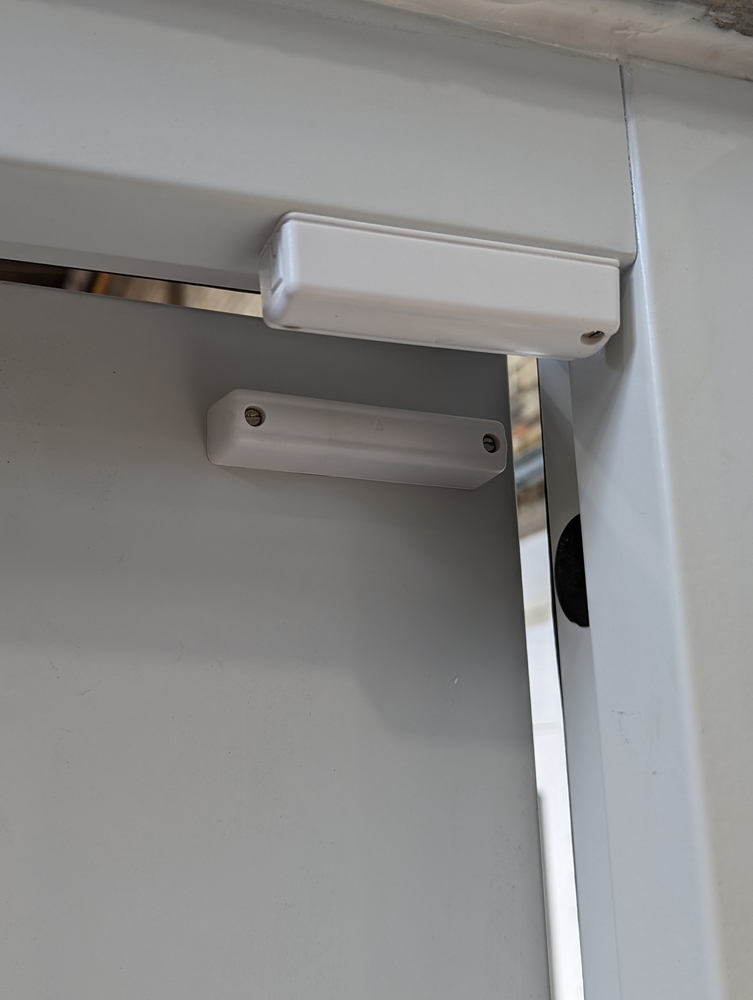
Don't skip the test-mode call. If your alarm trips for real and dispatches police, Hamilton Police Service can issue a false alarm fee. Always put the account on test first.
Listen for these answers. They mean your account isn't actually active:
- "I don't see an active account under that address"
- "Your account was transferred to [company]. You'll need to call them"
- "The last signal we received was [more than a few weeks ago]"
- "We can't discuss that with you without a password you were never given"
- Long hold times, transfers to three different departments, or "we'll have someone call you back"
Any of those mean you're effectively unmonitored even if the monthly charge is still coming off your card.
How often should you do this? At least once a year. We tell Hamilton clients to test in spring after thunderstorm season (lightning loves to take out cellular radios and phone lines) and once more in fall before winter brings the power flickers that reboot old panels into weird states.
Why So Many Hamilton Alarms Silently Go Dark
This isn't a rare thing. It happens constantly. Here are the five most common reasons we find when Hamilton homeowners discover their alarm hasn't been monitored in months or years.
1. The 3G cellular sunset killed your radio
Panels installed between roughly 2008 and 2018 almost all used 3G cellular communicators to phone home to the central station. Bell and Rogers have been shutting down their 3G networks (Bell retired theirs in 2025, Rogers in phases). If your alarm installer never came back and swapped the 3G radio for a 4G/LTE version, your panel literally can't call out anymore. The keypad still works. It just has nobody to call.
2. You cancelled your landline
Hamilton's older housing stock, especially in Durand, Kirkendall, east Hamilton, and the older parts of Stoney Creek, has a ton of alarms that were originally wired to plain-old Bell landlines. When you upgraded to Fibe, Rogers Ignite, or a VOIP service, the copper line went dead. The alarm lost its path to the monitoring centre. Some VOIP lines technically carry alarm signals, but almost none of them survive a power outage, which is exactly when you need them most.
3. Your original installer went out of business or got bought
Hamilton has had a rotating cast of local alarm installers over the last 25 years. Some got absorbed by TELUS, ADT, Bell, or Brinks. Some just closed up. Your monitoring contract got sold, transferred, or quietly cancelled. Billing sometimes continues under the original name while the actual monitoring quietly lapses. If the company on your window sticker doesn't answer their old phone number anymore, that's a five-alarm warning.
4. Your contract auto-renewed at a lower tier
A lot of providers, especially the big national ones, drop you to an "app-only" or "self-monitoring" tier when a 3-year or 5-year contract renews. The monthly charge might even go down a few dollars, which you'd never question. But now there's no ULC-certified central station behind your alarm. Just push notifications to your phone. Which is useless if you're asleep, at work, or out for dinner.
5. Your account got lost in a corporate acquisition
TELUS bought ADT Canada in 2019. Bell absorbed AlarmForce in 2018. Brinks absorbed Monitronics. Every one of these acquisitions shuffled thousands of Canadian accounts. Some got mis-migrated. Some had emergency contact lists wiped. Some had their service paperwork quietly lapse while billing kept running. We've seen every possible version of this in Hamilton homes. For more on how the TELUS acquisition specifically affected Canadian alarm customers, we wrote a full breakdown here.

What to Do If You're Not Being Monitored
Don't panic, and don't rip the whole system out. In most cases the fix is simpler and cheaper than you'd think. Three options, from lowest cost to highest.
- Option 1 (most common): Swap the communicator and take over the panel. If your panel is a standard DSC, Honeywell, or 2GIG (most Hamilton systems are), a technician can install a new LTE cellular communicator and reprogram the panel to talk to a new ULC-certified centre. Your sensors, keypads, and wiring all stay. Usually done in a single visit. This is the alarm takeover path
- Option 2: Keep the wiring, replace the panel. If your panel is proprietary (Vivint, Bell Smart Home, Rogers Smart Home, TELUS SmartHome), it's locked to the original provider. Nobody else can reprogram it. But the door contacts, motion sensors, window sensors, and wiring throughout your house are all reusable. A technician installs an open-standard panel (like a DSC PowerSeries Neo) on the existing wiring. Saves you hundreds compared to starting from scratch
- Option 3: Full replacement. If the panel, sensors, and wiring are genuinely end-of-life, a fresh install with wireless sensors, a touchscreen panel, and LTE cellular monitoring is usually less than most people assume. And it qualifies you for 5-20% off your home insurance premium (we wrote a full breakdown on which insurers give the biggest discounts)
A good local security company walks you through all three options. If anyone leads with "you need a whole new system" before looking at what you've got, you're talking to a commissioned salesperson, not a real security technician.
Not Sure What You've Got? Text Us a Photo.
Snap a picture of your alarm keypad (any trouble codes showing is a bonus) and text it to us. We'll tell you the make, model, likely panel age, probable comms path, and whether a takeover is possible. Free, no obligation, no sales follow-up.
Text or Call 844-360-1234Serving Hamilton, Stoney Creek, Ancaster, Dundas, Waterdown, and surrounding areas
Why Hamilton Homeowners Switch to Local Monitoring
The big national providers run call centres handling thousands of accounts per operator. When your alarm trips, you're in a queue. By the time someone picks up your signal, an intruder is long gone and Hamilton Police have a file on yet another unverified false alarm.
A local ULC-certified monitoring centre handles fewer accounts, knows the area, and can dispatch Hamilton Police Service or Hamilton Fire directly from the same facility. When we get a signal from a house on Mohawk Road, our operator isn't scrolling through a call-centre script. They already know where it is.
Force Security has been monitoring Hamilton homes and businesses since 1988. Canadian-owned. No 3-year or 5-year contracts. Our technicians live in and around Hamilton. The person who installs your system is the same person who comes back if something needs service. We run our own ULC-certified central station (not a third-party outsource), and we offer a free takeover assessment so you can find out exactly what's wrong with your current setup before committing to anything.
Neighbourhoods We Serve Around Hamilton
Frequently Asked Questions
How do I know if my home alarm is actually being monitored?
The only certain way is to put your account on test, trigger a sensor, and call the monitoring company back to confirm they received the signal. Also check your keypad for trouble codes like FC, No Comm, or Supervisory. Any of those mean your panel isn't actually communicating. Finally, read your monthly invoice. "Self-monitoring" or "app-only" plans are not 24/7 professional monitoring. Real monitoring uses a ULC-certified central station.
My alarm went off but nobody called. What happened?
Three likely causes. One, your panel tried to send the signal but the cellular radio or phone line was dead, so the monitoring centre never got it. Two, your account is no longer active (often due to an expired contract, a lost acquisition, or an auto-renewal to a lower tier). Three, your emergency contact list on file is outdated and they called an old number. Call your current provider and ask them to pull the event log for that exact time. If they can't find the event, your alarm is not being monitored.
What does FC, No Comm, or Fail to Communicate mean on my keypad?
All three mean the same thing: your alarm panel tried to check in with the monitoring centre and couldn't reach it. Common causes in Hamilton homes are a dead 3G cellular radio (Bell and Rogers sunset 3G), a disconnected or cut landline, or a cancelled monitoring account. If you see FC or No Comm for more than a few hours, your system isn't protecting you. Call a local security company and ask for a takeover assessment.
How often should I test my Hamilton home alarm system?
At least once a year. We recommend Hamilton homeowners test in spring (after thunderstorm season, since lightning takes out a lot of cellular radios and phone lines) and again in fall (before winter power flickers start). Always call your monitoring company first and ask them to put your account on test mode so they don't dispatch Hamilton Police. A full test takes about 15 minutes and tells you definitively whether you're monitored.
Can Force Security take over my existing alarm system in Hamilton?
Usually yes. If you have a DSC, Honeywell, or 2GIG panel (the standard across ADT, Reliance, Brinks, and most legacy Hamilton installers), we can reprogram it to our ULC-certified monitoring centre and have it back online the same day. If you have proprietary gear from Vivint, Bell Smart Home, Rogers Smart Home, or TELUS SmartHome, the panel is locked but your existing wiring and sensors can all be reused with a new open-standard panel. We offer a free takeover assessment either way.
Will my home insurance still discount me if my alarm isn't being monitored?
Not legitimately. Canadian home insurance discounts for monitored alarms (typically 5-20% off your premium) require active ULC-certified 24/7 professional monitoring. If your monitoring has silently lapsed, you may still be claiming the discount on your policy, but your insurer can deny or reduce a claim if they discover it during a break-in investigation. That's a much bigger problem than the monthly monitoring fee. We break down which Canadian insurers give the biggest discounts in our home security insurance discounts guide.
What happens when Bell or Rogers shuts down 3G and my alarm uses a 3G radio?
Your alarm panel permanently loses its cellular path to the monitoring centre. The keypad still works, the sensors still arm, the siren still sounds locally, but no signal is leaving your house. Bell retired 3G service in 2025 and Rogers is phasing out theirs. Most 3G alarm radios need to be swapped for a 4G/LTE communicator. A technician can usually install a new communicator on your existing panel in one visit, no full replacement needed.
How do I switch alarm monitoring companies without a gap in coverage?
Don't cancel your current provider until your new one has your system live and tested. A good takeover company coordinates the timing for you: they reprogram your panel (or install a new communicator), run a full test, confirm signals are arriving at the new central station, and only then do you cancel the old service. Zero downtime. See our full guide to cancelling ADT, TELUS, Bell, and other providers for phone numbers and contract details.
Get a Free Hamilton Alarm Check
Still not sure whether your alarm is being monitored? We'll run a free diagnostic on your existing system at your Hamilton home. No sales pitch, no contracts, no obligation. Just a straight answer from a local company that's been doing this since 1988.
Call 844-360-1234Available Monday-Friday, 8am-6pm · Hamilton & surrounding areas
Related Services & Reading
Force Security proudly serves Hamilton, Burlington, Niagara Falls, St. Catharines, Toronto, Mississauga, Brampton, Oakville, and surrounding communities. View all service areas.